

Trace: • Editor features
Our editors have some hidden features which can be enabled. We don't enable all features automatically because it depends on UX which features make sense. We have a copy-to-clipboard feature:
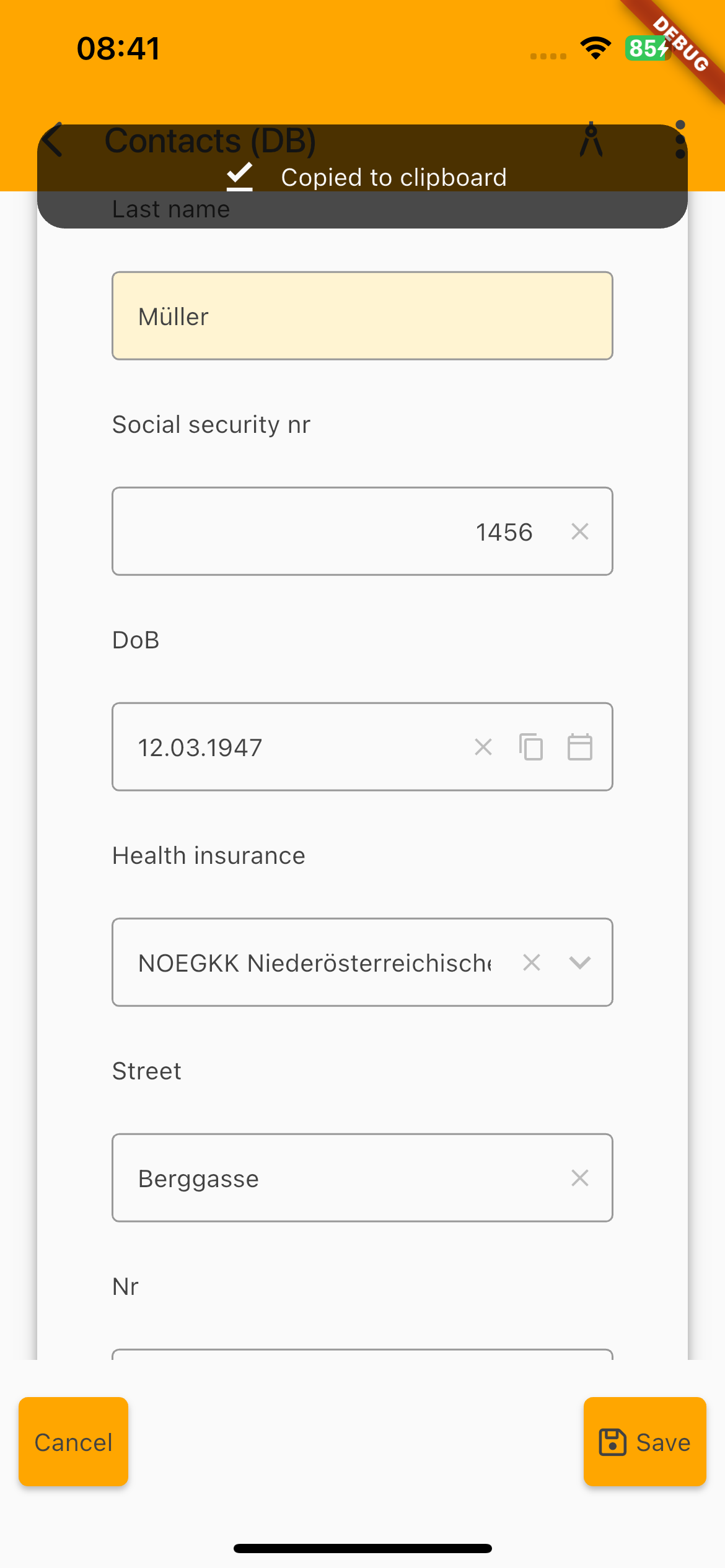
The DoB field is a date field and on the right, you have 3 icons:
- x = delete
- copy text to clipboard
- open date chooser
The copy text to clipboard icon is optional and can be enabled for every editor. Simply add the style
f_copy
to your (cell)editor. After pressing the icon, a small info bar will appear: Copied to clipboard
If you have password fields, it's usually helpful to show the password in plain text. By default we don't show plain text passwords, but we have a feature for you:
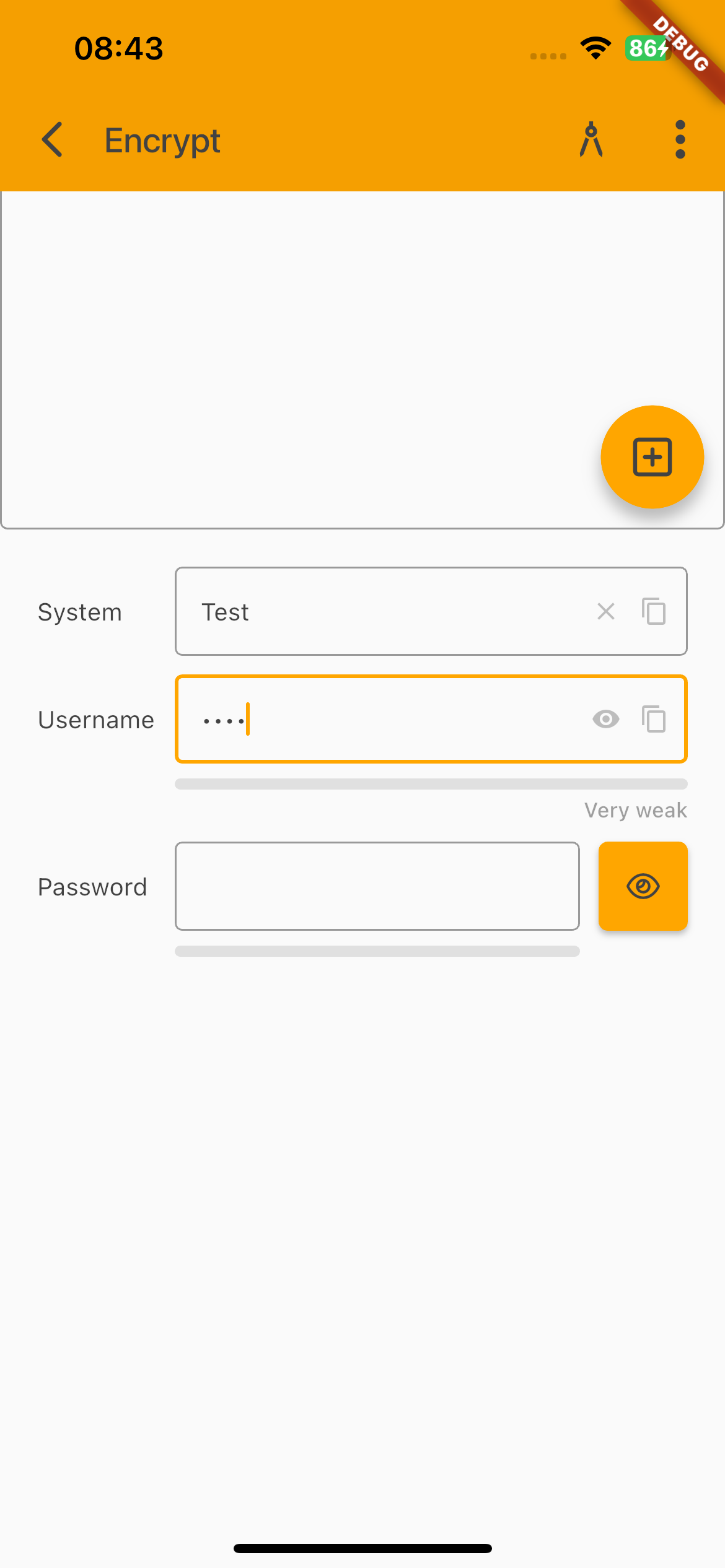
The password field shows the optional icons:
- show plain text
- copy text to clipboard
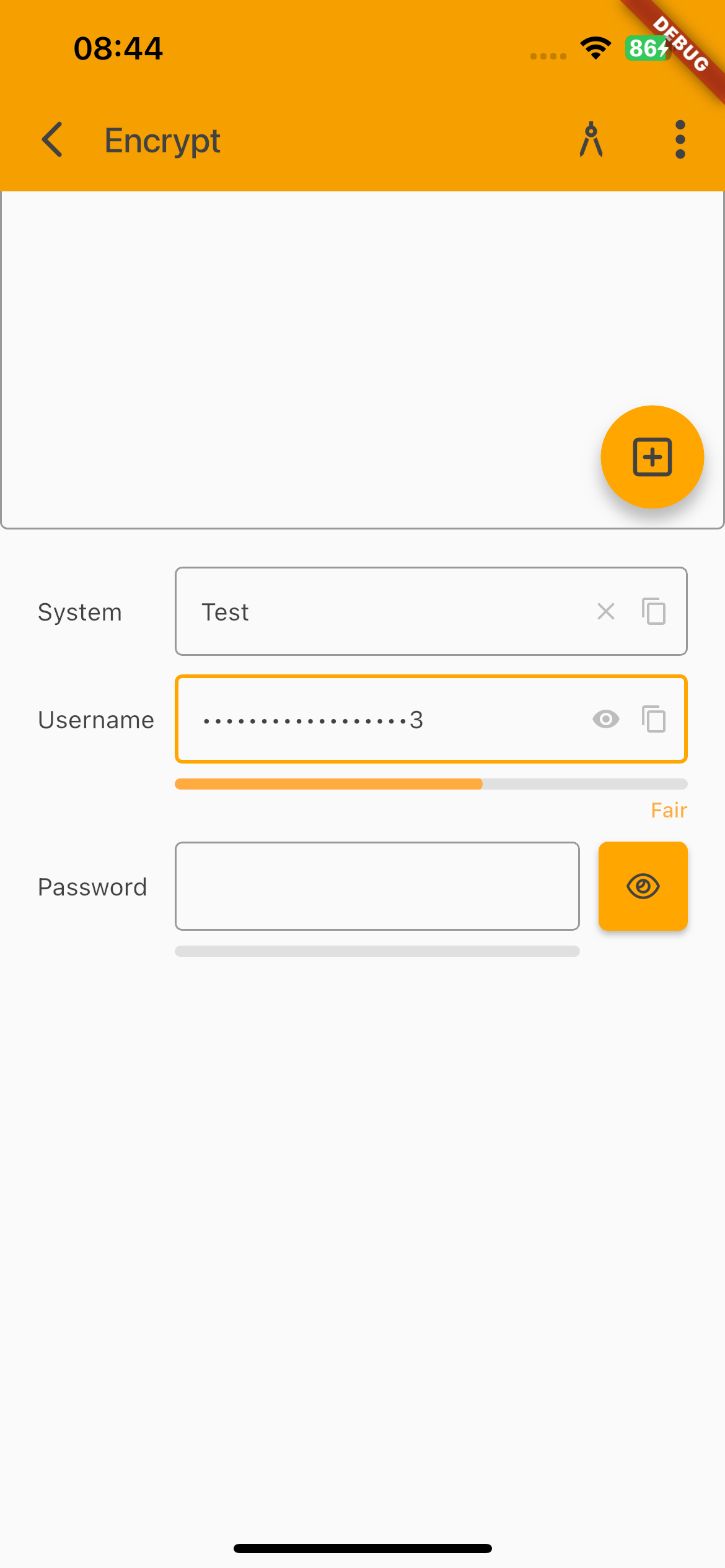
If you show the plain text the password will be shown in plain text until you click the icon again or until you press a key. The screenshot shows another additional feature. Below the password field, you can see a gray bar. This bar will show the strength of your password.
We calculate a score for your password:
- length >= 6 (+ 0.2)
- length >= 10 (+ 0.2)
- A-Z (+ 0.2)
- 0-9 (+ 0.2)
- All except: A-Z and a-z and 0-9 (+ 0.2)
The score will be translated to the password strength:
- Very weak (score ⇐ 0.2)
- Weak (score ⇐ 0.4 )
- Fair (score ⇐ 0.6)
- Good (score ⇐ 0.8)
- Strong (score > 0.8)
The text will be shown below the gray bar.
To enable the password scrength, simply add:
f_passwordstrength
as style.