It's possible to show a table as list with style f_as_list. We support different style options:
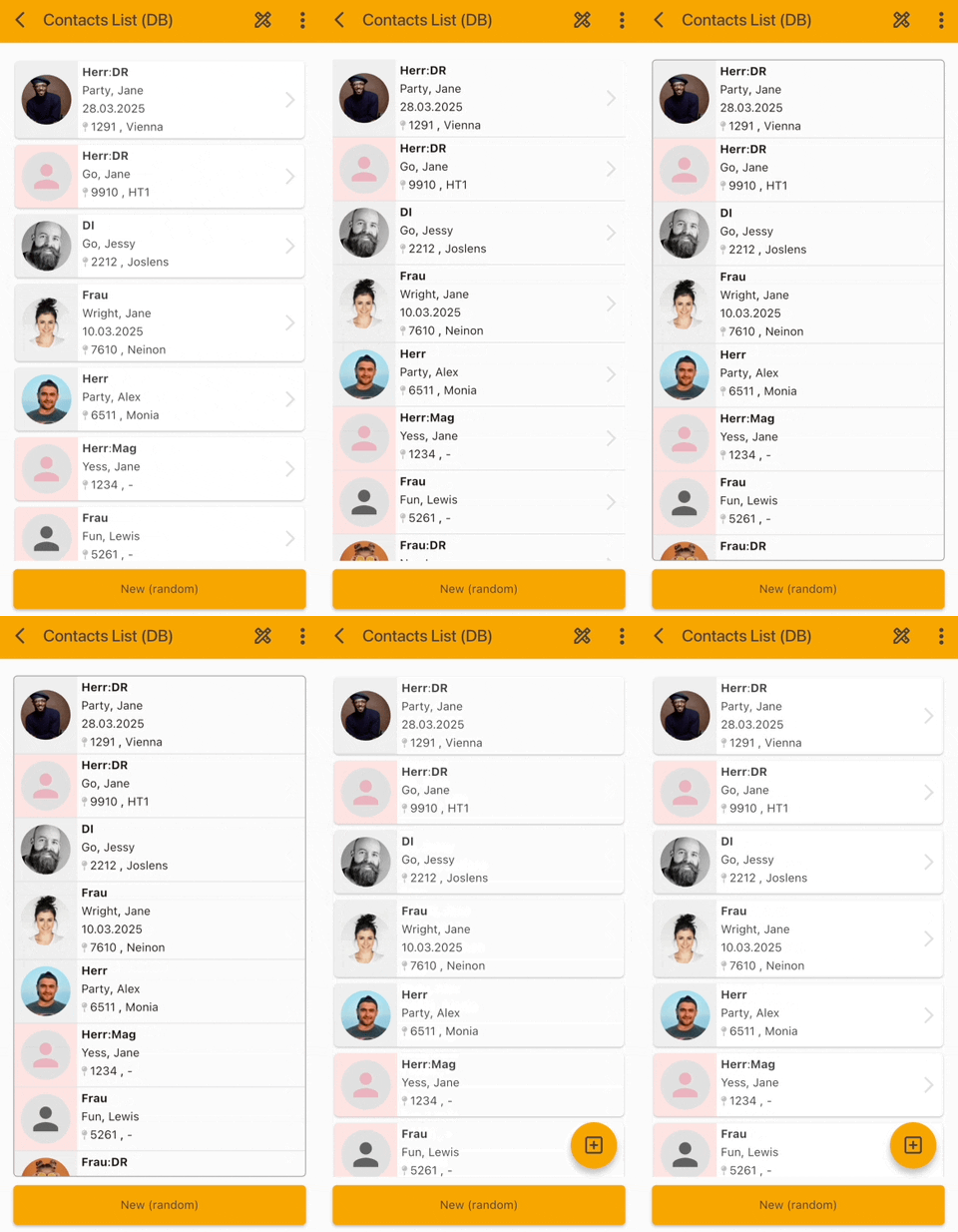
The options are:
f_as_card Shows cards for every record
f_with_arrow Shows a small arrow at the right
f_as_card_flat Hides border of cards
f_valign_top Aligns list entries vertically top
f_valign_bottom Aligns list entries vertically bottom
f_standard_border Shows a border around the list
f_template_
This is a very special style, because it's possible to define a template for the list entries. Every entry will use the defined template for rendering, e.g.:
f_template_/com/sibvisions/apps/mobile/demo/templates/contacts/list_simple.tpl
The template:
- list_simple.tpl
import core.widgets;
import material.widgets;
import local.widgets;

widget listEntry = IntrinsicHeight(
  child: Row(
    crossAxisAlignment: "stretch",
    children: [
      Container(
        color: 0xFFCCCCCC,
        child: Column(
          mainAxisAlignment: "center",
          children: [
            Padding(
              padding: [5.0, 5.0, 5.0, 5.0],
              child: ListImage(columnName: "IMAGE"),
            ),
          ],
        ),
      ),
      Flexible(
        child: Padding(
          padding: [5.0, 5.0, 5.0, 5.0],
          child: Column(
            crossAxisAlignment: "start",
            children: [
              Row(
                children: [
                  ListCell(
                    columnName: "SALU_SALUTATION",
                    postfix: "; "
                  ),
                  ListCell(columnName: "LASTNAME"),
                ],
              ),
              ListSpace(
                notEmptyColumnNames: ["ZIP", "TOWN"],
                height: 5.0,
              ),
              Row(
                children: [
                  ListCell(
                    columnName: "ZIP",
                    useFormat: false, postfix: " "
                  ),
                  ListCell(columnName: "TOWN"),
                ],
              ),
              ListSpace(
                notEmptyColumnNames: ["LONGVALUE"],
                height: 5.0,
              ),
              Wrap(
                children: [
                  ListCell(columnName: "LONGVALUE"),
                ],
              ),
              SizedBox(height: 15.0),
              Row(
                children: [
                  ListCell(columnName: "ACTIVE"),
                  ListCell(
                    columnName: "CHOICE",
                    prefix: " "
                  ),
                ],
              ),
            ],
          ),
        ),
      ),
    ],
  ),
);
The template will be read by Remote Flutter Widgets and list entries will be shown with your custom layout. We also support the binary format:
f_template_/com/sibvisions/apps/mobile/demo/templates/contacts/list_simple.tpl.bui
Be sure that the template is available in classpath as resource with name:
/com/sibvisions/apps/mobile/demo/templates/contacts/list_simple.tpl
or
/com/sibvisions/apps/mobile/demo/templates/contacts/list_simple.tpl.bui
We also have standard stlyes for customizing list entries:
f_list_columncount_ and f_list_columnseparator_
The f_list_columncount_1_1 defines that the first row of the list entry will show 1 value and second row will show 1 value. The values will be read from the column view, e.g.:
table.getRowDefinition().setColumnView(ITableControl.class, new ColumnView(new String[] {“AVATAR”, “NAME”, “PLATFORM”}));
If the column view contains an image, this column will always be shown separately in the list entry.
The f_list_columnseparator_:_,_%20,%20 defines:
First separator is :, second is , and third is <space>,<space>. We split the column separators by _ and replace following characters:
%20 with <space>
%5F with _
%2C with ,
This makes it possible to define standard formats without using complex templates. If your layout is not standard, it's better to use templates!